
YOUR TRADE. YOUR WORKFLOW.
Quote and invoice software built around the job.
A quote maker and invoice app for tradespeople who want their paperwork connected to the job. Prepare branded documents, download PDFs and track recorded payments alongside your customer records.
Try free for 30 daysNo card required. No automatic charge. Check current plans at signup.
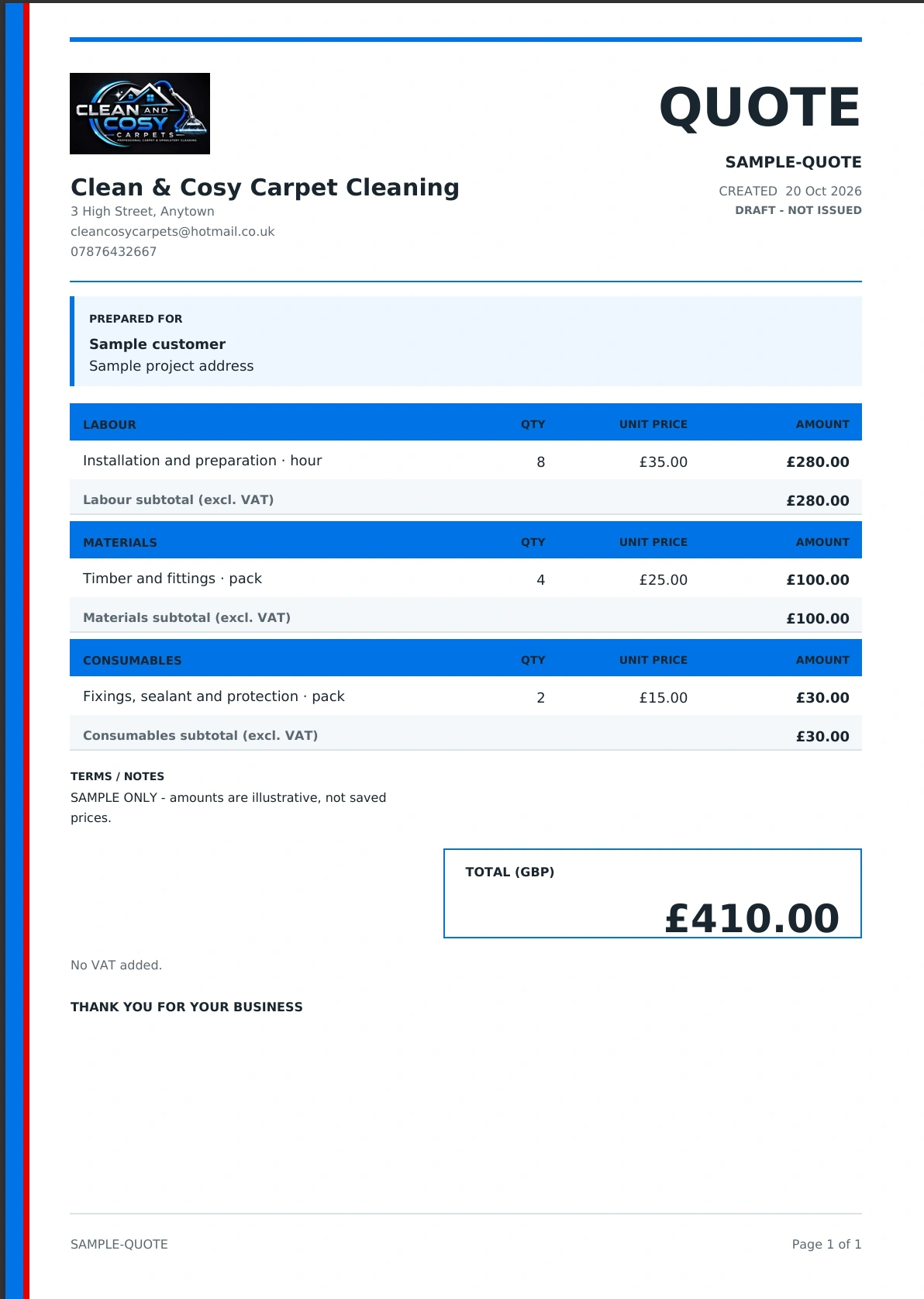
Genuine product screenshot. Demonstration records and amounts.
Show customers what the quote includes.
Separate labour, materials, consumables and other items so customers can understand the proposed work. Enter quantities, units and selling prices, with section subtotals and a clear overall total.
Use hours for labour, metres for timber, packs for fixings or individual service items. For materials-heavy builder and handyman jobs, paste tab-separated spreadsheet rows rather than retyping each line individually.
Make the document look like your business.
Choose from 20 original document styles across six layout families. Add your logo, business details, colours, terms and payment instructions. Preview a sample PDF before selecting a default style, then review the actual quote before approving it.
Existing issued documents retain their saved branding and design version when you change your default settings. Your customers receive your business details, not the demonstration business branding shown in our sample screenshots.
Move from an accepted quote to an invoice.
Prepare a quote against the job, review and approve it, then generate a private customer link for acceptance. Keep the agreed work and amounts with the job instead of starting again when it is time to invoice.
Convert an accepted quote into an invoice and check the customer, line items and due date before approval. Pro adds drawn customer signatures and completion acknowledgements; those features are separate from manually recording an agreement.
Stay with the same job.
Open a job to see Enquiry, Quote, Work, Invoice and Payment together. The Next step panel guides you, while forms and reviews open within that job workspace. Save and issue in one reviewed action, or save a draft for later. Issuing does not email the customer.
Create the invoice from the accepted quote to carry forward agreed items, quantities, prices, VAT, terms and document branding. Payment receipts retain their invoice link. Follow the step-by-step user guide →
Track what has been paid and what remains.
Record full or partial payments and prepare receipts, keeping invoice balances visible. Invoice filters help you find unpaid, partly paid, paid and overdue records. Pro provides the expanded payment summaries and filters. Currency totals stay separate rather than adding pounds and dollars into one misleading figure.
Recording a payment does not verify your bank account. Pro includes Stripe Connect setup for one-off invoice deposits and outstanding balances. Each business connects its own merchant account and completes verification before card collection can be activated. Final live-payment checks are in progress; Stripe processing fees apply. Field2Office subscriptions are separate. Tap to Pay and automatic recurring card charges are not included.
Specialist paperwork for the work you do.
Carpet-cleaning quotes can use saved rates, room measurements, upholstery and treatments. Window-cleaning rounds use the Pro repeat-work workflow to prepare invoices from completed visits without billing the same visit twice.
Use the dashboard on phone and PC while online. The customer records, jobs and paperwork belong to the same business workspace.
Choose Standard or Pro.
Standard is £29.99/month in GBP for one owner, including branded quotes, invoices, manual payment records and receipts. Pro is £49.99/month in GBP and adds signed approvals, completion acknowledgements, expanded payment filters, repeat work and up to five technician logins alongside the owner. No UK VAT is added. Try either plan free for 30 days with no card required; confirm the current offer at signup.
Before you start.
Can I use my own logo and prices?
Yes. Add your business branding and set your own service prices. The screenshot amounts are demonstration figures, not recommended trade prices.
Can I download the documents?
Yes. Download PDF quotes and invoices, and prepare receipts for recorded payments.
Is the trial automatically charged?
No card is required for the 30-day trial. Subscribe separately if you want to continue; check the current plan and access terms on the signup page.
Try it with your next job.
Choose your trade and plan, activate your workspace by email, and use the setup guide to add your business details.
Start your free trial