
YOUR TRADE. YOUR WORKFLOW.
Carpet-cleaning quoting software for clear, itemised quotes.
Use your own carpet and upholstery cleaning rates to prepare an itemised quote, review it and share it with the customer. Field2Office keeps the quote with the job on phone and PC.
Try free for 30 daysNo card required. No automatic charge. Check current plans at signup.
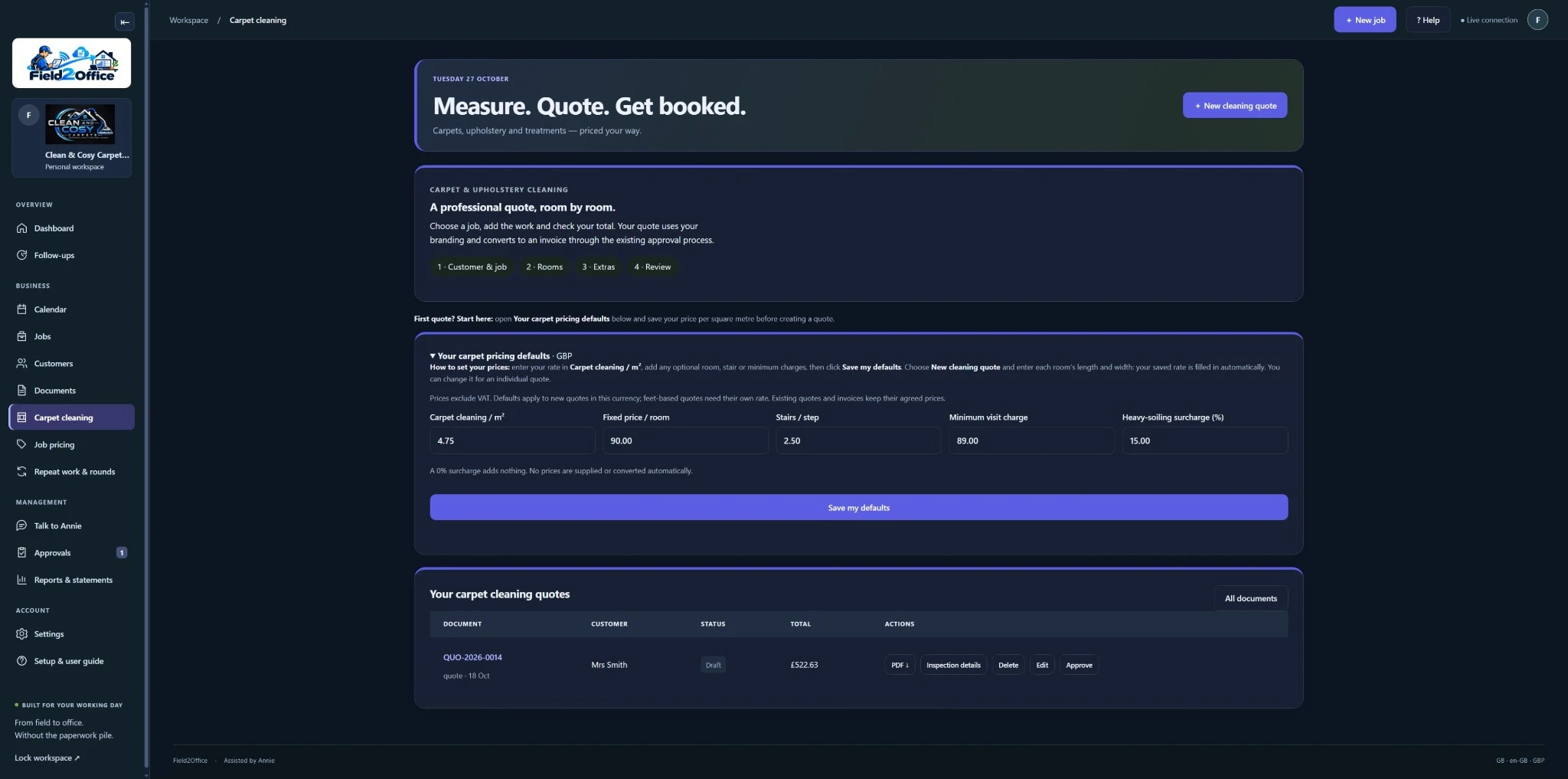
Genuine product screenshot. Demonstration records and amounts.
Price the actual clean, not a generic service.
A lounge, a flight of stairs and a three-seat sofa need different descriptions and pricing units. Field2Office’s carpet-cleaning builder supports measured rooms, fixed room prices, stairs priced per step, upholstery and optional treatments. Add what is included and set your own selling rates; the app does not choose a market price for you.
Use metres or feet and check the unit shown before entering measurements. Feet-based rates are entered explicitly. Pricing defaults are separated by document currency, so changing currency does not silently convert your rates.
Review a room-by-room breakdown.
Start with the customer’s job, enter the rooms and measurements, then add stairs, upholstery and treatments as needed. A whole-visit minimum can be set. Review any condition surcharge, quantities, tax treatment and final total before issuing. Put access arrangements, exclusions and any promises to the customer into the customer-facing terms.
- Save your cleaning rates and essential business details.
- Open the job and prepare its cleaning quote.
- Check the breakdown and choose Save & issue, or save a draft for later.
- Share the private acceptance link and explicitly confirm any email sending.
Unfinished input in a browser tab is not a saved quotation. Save a draft before leaving if you need to retain it and access it on your other device.
Know what the customer agreed to.
The private quote page presents the issued work and terms for acceptance. Pro adds a drawn signature on newly issued acceptance links. Customer acceptance and business approval are different: issuing makes a quote ready to send; it does not mean the customer has agreed or paid.
After acceptance, create the invoice from that quote to retain the agreed items, quantities, prices, VAT, currency, terms and document branding. Existing quotes retain their saved details when your current customer profile or service rates change.
Example: a quote with clear scope.
For a lounge, bedroom, staircase and sofa, list each area separately and state whether a treatment is included or optional. Check the condition, access and drying advice before promising an outcome. This is an example of organising a quote, not a recommended price or cleaning method. Field2Office helps prepare paperwork; professional inspection and pricing remain your responsibility.
Questions about cleaning quotes.
Can I use my own rates?
Yes. Save your business’s cleaning rates and enter custom items when needed. No generic carpet-cleaning price is imposed.
Can I include upholstery and stairs?
Yes. The specialist builder includes upholstery and stairs priced per step alongside carpet rooms and treatments.
Will a quote send automatically?
No. Saving or issuing does not email it. Review the recipient, message, acceptance link where needed and attached PDF before confirming Send email now.
Try it with your next job.
Choose your trade and plan, activate your workspace by email, and use the setup guide to add your business details.
Start your free trial