
YOUR TRADE. YOUR WORKFLOW.
Carpet-cleaning invoicing software. Less retyping, clearer payments.
Carry the accepted cleaning quote into its invoice, review the details and track payments with linked receipts. Keep the customer and work in one job workspace.
Try free for 30 daysNo card required. No automatic charge. Check current plans at signup.
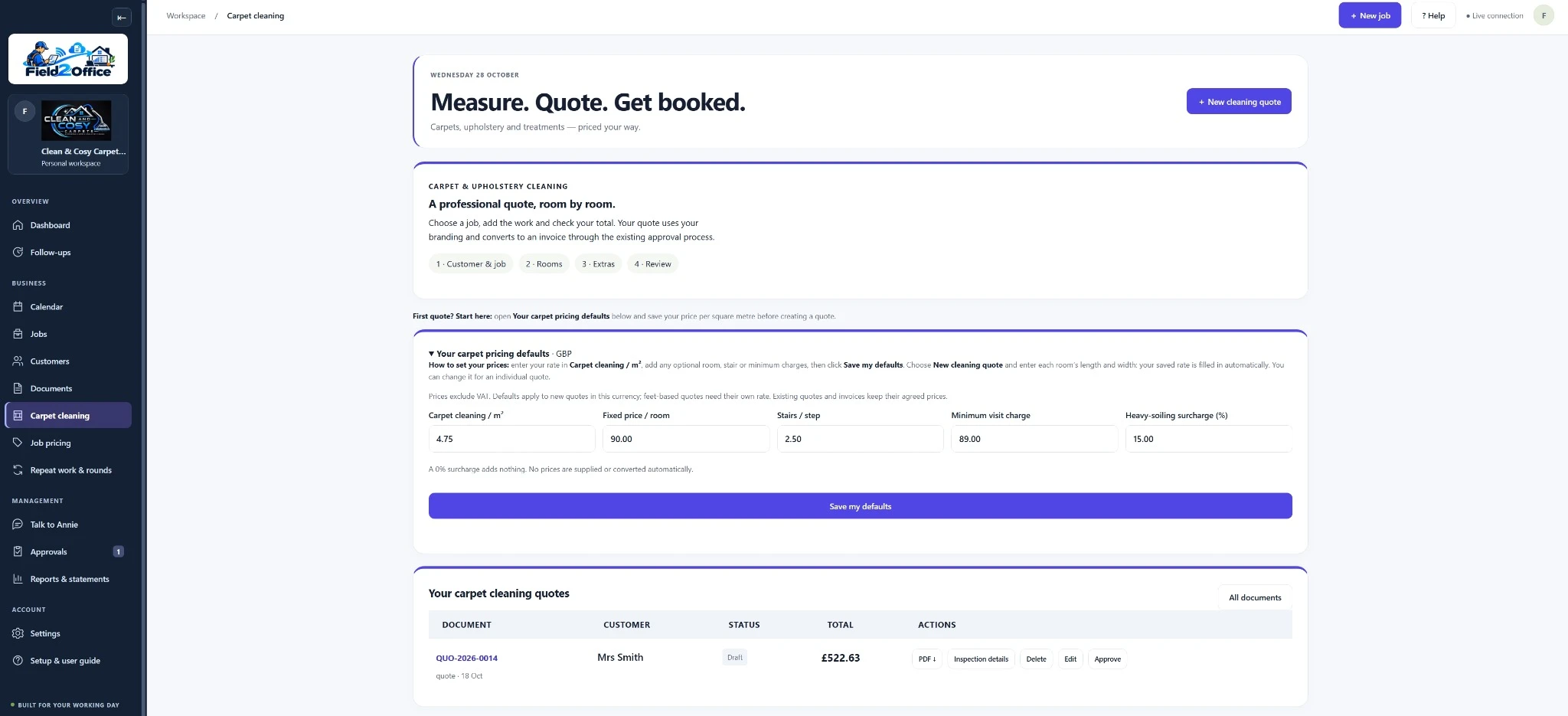
Genuine product screenshot. Demonstration records and amounts.
Carry the agreed cleaning work into the invoice.
Use Create invoice from quote after acceptance rather than starting a separate invoice. Conversion preserves the quote’s customer and business snapshot, service items, quantities, prices, VAT, currency, terms and branding, with a link back to the original quote.
Room descriptions, upholstery and treatment details remain part of the agreed paperwork. Later changes to your saved service rates or customer profile do not silently rewrite historical quotes and invoices. The same quote cannot be converted twice; reopen its linked invoice instead of creating another.
Review and issue, then decide when to send.
Check the customer, work, total and terms before Save & issue invoice. You can save a draft if something still needs checking. Issuing does not automatically email the customer or charge their card.
- Open the completed job and its accepted quote.
- Create the invoice from that quote.
- Review the financial details and issue the invoice.
- Review the email recipient, message and PDF.
- Confirm sending when ready.
If saving succeeds but issuing is not confirmed, open the saved document to check its status. Avoid recreating it after an interruption. The user guide explains the review and recovery steps.
Separate an invoice from a payment.
An issued invoice records what is owed. A payment records money received. Field2Office supports full and partial payment records, keeping the remaining balance visible. Totals stay in their original currencies rather than adding pounds and dollars together.
Record money received for cash, bank transfer or another payment you have independently checked. Manual recording does not charge a card or reconcile your bank account. Pro adds expanded invoice filters and card-payment requests for invoice deposits or balances, subject to the business’s Stripe setup and readiness.
Card links and receipts have clear roles.
Creating a payment link does not mean the customer has paid. For card collection, a verified Stripe payment event updates the invoice balance and receipt. A checkout return page alone is not confirmation. Stripe processing fees apply; Tap to Pay and automatic recurring card charges are not included.
After a manual payment is approved or an online payment is verified, the linked receipt uses the invoice’s customer, business, currency and branding. It records the amount, payment method, invoice reference and remaining balance. A receipt is evidence of a recorded payment, not another copy of the quote to charge again. Deleting a payment record does not refund money.
Questions about carpet-cleaning invoices.
Can I invoice without preparing a quote first?
Yes. Direct invoicing remains available for work that does not need a quote. When an accepted quote exists, use conversion to preserve its agreed details.
Can I record a deposit or part payment?
Yes, against an issued invoice. Enter the amount actually received and check the outstanding balance. A deposit is part of that invoice, not an extra charge.
Does this replace accounting software?
No. The workflow covers quotes, invoices, payment records and receipts. Do not treat it as automatic bank reconciliation, tax filing or a general ledger.
Try it with your next job.
Choose your trade and plan, activate your workspace by email, and use the setup guide to add your business details.
Start your free trial